Zero Trust Architecture: The Complete Guide to Modern Enterprise Security
The perimeter security model is dead. Learn how to implement Zero Trust Architecture with identity-centric security, micro-segmentation, and continuous verification for cloud-native enterprises.
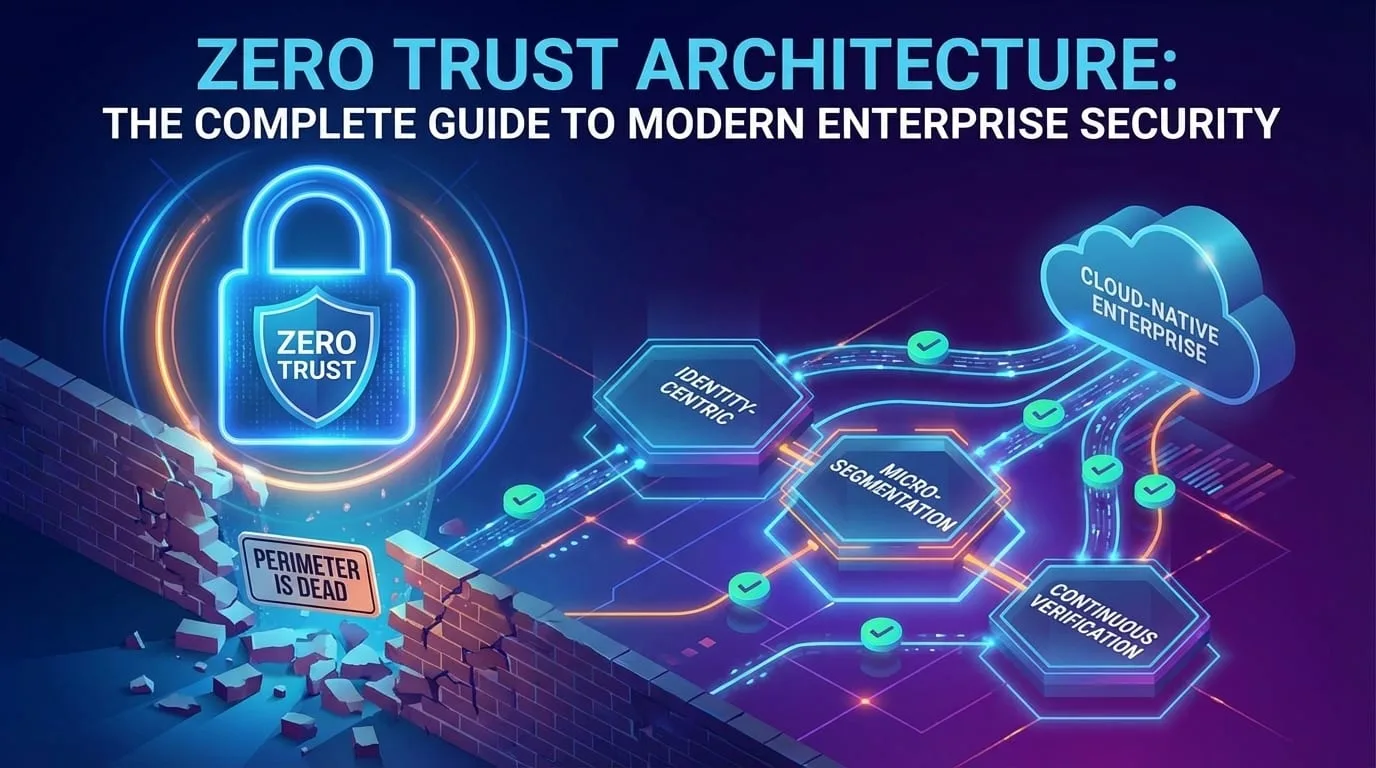
The old model of enterprise security was the "Castle and Moat." You built a strong firewall (the moat) around your office network (the castle). Once someone was inside-via VPN or plugging in a cable-they were trusted.
This model is dead. It died when your employees started working from coffee shops, your data moved to SaaS apps, and attackers learned that stealing one VPN credential gives them the keys to the kingdom.
Zero Trust Architecture (ZTA) is the modern answer.
Why the Perimeter Model Failed
Traditional Castle-and-Moat Security
──────────────────────────────────────────────────────────────────

      Internet (Untrusted)
            │
    ┌───────▼───────┐
    │   Firewall    │
    │ "The Moat"    │
    └───────┬───────┘
            │
    ┌───────▼────────────────────────────────────────────┐
    │                                                     │
    │  Corporate Network "The Castle" (Fully Trusted)    │
    │                                                     │
    │   ┌─────────┐  ┌─────────┐  ┌─────────┐           │
    │   │  Users  │──│ Servers │──│ Database│           │
    │   └─────────┘  └─────────┘  └─────────┘           │
    │                                                     │
    │   All internal traffic implicitly trusted          │
    │                                                     │
    └─────────────────────────────────────────────────────┘

Problem: Once inside, attackers have free reign
Why This Model Fails Today
| Assumption | Reality |
|---|---|
| Users are in the office | 80% of workers are hybrid or remote |
| Data is in the data center | Data lives in AWS, Azure, SaaS apps |
| Trusted devices are managed | BYOD, contractors, partner access |
| Threats come from outside | 34% of breaches involve internal actors |
| VPN = Security | VPN credentials are the #1 attack target |
Real-World Breaches That Exposed Perimeter Failure
Notable Perimeter Security Failures
──────────────────────────────────────────────────────────────────

2013 Target Breach
├── Entry: Stolen HVAC contractor credentials
├── Pivot: Lateral movement through trusted network
├── Result: 40 million credit cards stolen
└── Lesson: Third-party access = your attack surface

2020 SolarWinds Supply Chain Attack
├── Entry: Compromised software update
├── Pivot: Trusted software had trusted network access
├── Result: 18,000+ organizations compromised
└── Lesson: Trust nothing, verify everything

2021 Colonial Pipeline
├── Entry: Single compromised VPN password (no MFA)
├── Pivot: VPN granted broad network access
├── Result: $4.4M ransom, fuel shortages
└── Lesson: VPN is not a security boundary
What Is Zero Trust?
Zero Trust operates on a fundamental principle:
"Never trust, always verify."
Every access request is treated as if it originates from an untrusted network-because it might.
Zero Trust Architecture
──────────────────────────────────────────────────────────────────

                   Every Request Must Prove:
                   ┌──────────────────────────────┐
                   │ 1. Who are you? (Identity)   │
                   │ 2. Is your device healthy?   │
                   │ 3. What are you trying to do?│
                   │ 4. Should you be allowed?    │
                   │ 5. Is this behavior normal?  │
                   └──────────────────────────────┘
                              │
              ┌───────────────┼───────────────┐
              ▼               ▼               ▼
      ┌─────────────┐ ┌─────────────┐ ┌─────────────┐
      │ Resource A  │ │ Resource B  │ │ Resource C  │
      │             │ │             │ │             │
      │ Verified    │ │ Verified    │ │ Verified    │
      │ Per-Request │ │ Per-Request │ │ Per-Request │
      └─────────────┘ └─────────────┘ └─────────────┘

No implicit trust. No trusted zones.
Every resource is individually protected.
The Three Core Principles
1. Verify Explicitly
Authenticate and authorize based on all available data points:
| Signal | What It Tells You |
|---|---|
| User Identity | Who is making the request? |
| Device Health | Is the device compliant and secure? |
| Location | Is this location normal for this user? |
| Time | Is this request at an unusual hour? |
| Resource Sensitivity | How critical is what they're accessing? |
| Behavior | Does this match their normal pattern? |
2. Use Least Privilege Access
Grant the minimum permissions needed, for the minimum time needed:
Traditional Access                    Zero Trust Access
──────────────────                    ─────────────────

VPN Login:                            Resource Request:
├── Full network access               ├── Access to specific app
├── 24/7 connectivity                 ├── Session time-limited
├── All internal resources            ├── Just-in-time provisioning
└── Until manually revoked            └── Continuous re-evaluation

"You're inside, do whatever"          "Prove you need this, right now"
3. Assume Breach
Design systems as if an attacker is already on the network:
- Micro-segmentation: Limit blast radius
- Encryption everywhere: Encrypt data in transit AND at rest
- Continuous monitoring: Detect anomalies in real-time
- Incident readiness: Assume compromise, minimize damage
Zero Trust Architecture Components
Zero Trust Reference Architecture
──────────────────────────────────────────────────────────────────

                         ┌─────────────────┐
                         │  Policy Engine  │
                         │  (Decision Hub) │
                         └────────┬────────┘
                                  │
         ┌────────────────────────┼────────────────────────┐
         │                        │                        │
         ▼                        ▼                        ▼
┌─────────────────┐      ┌─────────────────┐      ┌─────────────────┐
│    Identity     │      │     Device      │      │    Network      │
│    Provider     │      │     Trust       │      │    Controls     │
│                 │      │                 │      │                 │
│ • SSO/MFA       │      │ • EDR/MDM       │      │ • Micro-seg     │
│ • IdP (Okta/    │      │ • Compliance    │      │ • SDP/ZTNA      │
│   Azure AD)     │      │ • Posture Check │      │ • mTLS          │
└─────────────────┘      └─────────────────┘      └─────────────────┘
         │                        │                        │
         └────────────────────────┼────────────────────────┘
                                  │
                         ┌────────▼────────┐
                         │  Protected      │
                         │  Resources      │
                         │ (Apps, Data,    │
                         │  Infrastructure)│
                         └─────────────────┘
Component Deep-Dive
| Component | Purpose | Key Technologies |
|---|---|---|
| Identity Provider | Central authentication/authorization | Azure AD, Okta, Auth0 |
| Device Trust | Verify device security posture | CrowdStrike, Intune, Jamf |
| Policy Engine | Make access decisions | Zscaler, Cloudflare Access |
| Network Controls | Segment and encrypt traffic | Service mesh, ZTNA |
| SIEM/SOAR | Detect and respond to anomalies | Splunk, Sentinel, Chronicle |
Implementing Zero Trust: A Roadmap
Phase 1: Identity Foundation (Months 1-3)
Identity is the new perimeter. Start here.
# Identity-First Checklist
phase_1_identity:
  mandatory:
    - name: "Multi-Factor Authentication"
      target: "100% of users"
      methods:
        - Hardware keys (FIDO2/WebAuthn)
        - Authenticator apps (TOTP)
        - Push notifications
      exclude:
        - SMS (susceptible to SIM swapping)
        - Email codes (circular dependency)

    - name: "Single Sign-On"
      target: "All applications"
      benefits:
        - Centralized access control
        - Reduced credential sprawl
        - Faster offboarding

    - name: "Conditional Access"
      rules:
        - Require MFA for sensitive apps
        - Block legacy authentication
        - Require compliant devices for finance apps
        - Force re-authentication for admin actions
Phase 2: Device Trust (Months 3-6)
A compromised device is a compromised identity.
// Example: Device compliance check before access
interface DevicePosture {
  enrolled: boolean;
  osVersion: string;
  lastPatched: Date;
  encryptionEnabled: boolean;
  antivirusActive: boolean;
  jailbroken: boolean;
  complianceScore: number;
}

function evaluateDeviceTrust(device: DevicePosture): AccessDecision {
  // Hard blocks - no exceptions
  if (device.jailbroken)
    return { allow: false, reason: "Device rooted/jailbroken" };
  if (!device.encryptionEnabled)
    return { allow: false, reason: "Disk not encrypted" };

  // Soft requirements - may allow with step-up auth
  if (device.complianceScore < 80) {
    return {
      allow: true,
      stepUp: true,
      restrictions: ["read_only", "no_download"],
      reason: "Device compliance below threshold",
    };
  }

  // Calculate days since last patch
  const daysSincePatch = daysBetween(device.lastPatched, new Date());
  if (daysSincePatch > 30) {
    return {
      allow: true,
      stepUp: true,
      reason: "Device not recently patched",
    };
  }

  return { allow: true };
}
Phase 3: Network Micro-Segmentation (Months 6-9)
Don't let attackers move laterally. Every segment is its own trust boundary.
# Kubernetes Network Policy Example
apiVersion: networking.k8s.io/v1
kind: NetworkPolicy
metadata:
  name: api-server-isolation
  namespace: production
spec:
  podSelector:
    matchLabels:
      app: api-server
  policyTypes:
    - Ingress
    - Egress
  ingress:
    # Only allow from authenticated gateway
    - from:
        - namespaceSelector:
            matchLabels:
              name: gateway
          podSelector:
            matchLabels:
              app: api-gateway
      ports:
        - protocol: TCP
          port: 8080
  egress:
    # Only allow to database
    - to:
        - namespaceSelector:
            matchLabels:
              name: data
          podSelector:
            matchLabels:
              app: postgres
      ports:
        - protocol: TCP
          port: 5432
    # Allow DNS
    - to:
        - namespaceSelector: {}
          podSelector:
            matchLabels:
              k8s-app: kube-dns
      ports:
        - protocol: UDP
          port: 53
Phase 4: Continuous Verification (Months 9-12)
Zero Trust isn't one-time verification-it's continuous.
# Simplified continuous verification logic
class ContinuousVerification:
    def __init__(self, session: UserSession):
        self.session = session
        self.risk_score = 0.0
        self.last_check = datetime.now()

    async def evaluate_session(self) -> RiskDecision:
        signals = await self.gather_signals()

        # Aggregate risk signals
        self.risk_score = (
            signals.location_risk * 0.2 +
            signals.behavior_risk * 0.3 +
            signals.device_risk * 0.2 +
            signals.time_risk * 0.1 +
            signals.resource_sensitivity * 0.2
        )

        if self.risk_score > 0.8:
            return RiskDecision.TERMINATE_SESSION
        elif self.risk_score > 0.6:
            return RiskDecision.REQUIRE_STEP_UP_AUTH
        elif self.risk_score > 0.4:
            return RiskDecision.RESTRICT_ACCESS
        else:
            return RiskDecision.ALLOW

    async def gather_signals(self) -> RiskSignals:
        return RiskSignals(
            location_risk=await self.check_location_anomaly(),
            behavior_risk=await self.check_behavior_anomaly(),
            device_risk=await self.check_device_posture(),
            time_risk=self.check_time_risk(),
            resource_sensitivity=self.get_resource_sensitivity()
        )
Zero Trust for Common Use Cases
Remote Workforce
Traditional VPN                       Zero Trust Network Access (ZTNA)
──────────────                        ──────────────────────────────

User → VPN → Full Network Access      User → Identity Check → App-Level Access
                                           ↓
                                      Device Posture Check
                                           ↓
                                      Policy Evaluation
                                           ↓
                                      Access to Specific App Only

Problems:                             Benefits:
• VPN = Network-level access          • Application-level access
• Stolen creds = full access          • Context-aware decisions
• Performance bottleneck              • Direct-to-cloud routing
• Complex to manage                   • Easier to audit
Cloud-Native Applications
# Service-to-Service Authentication with mTLS
apiVersion: security.istio.io/v1beta1
kind: PeerAuthentication
metadata:
  name: default
  namespace: production
spec:
  mtls:
    mode: STRICT # All traffic must be mTLS
---
# Authorization Policy - Allow only specific services
apiVersion: security.istio.io/v1beta1
kind: AuthorizationPolicy
metadata:
  name: api-server-policy
  namespace: production
spec:
  selector:
    matchLabels:
      app: api-server
  action: ALLOW
  rules:
    - from:
        - source:
            principals:
              - "cluster.local/ns/gateway/sa/api-gateway"
      to:
        - operation:
            methods: ["GET", "POST"]
            paths: ["/api/v1/*"]
Third-Party and Contractor Access
| Traditional Approach | Zero Trust Approach |
|---|---|
| VPN accounts with broad access | Identity-verified, app-specific access |
| Shared credentials | Individual identities with MFA |
| Access until manually revoked | Time-bound, just-in-time access |
| No visibility into activity | Full audit trail |
Zero Trust Maturity Model
Zero Trust Maturity Levels
──────────────────────────────────────────────────────────────────

Level 1: Traditional (Perimeter-Based)
├── Firewall-based security
├── VPN for remote access
├── Implicit internal trust
└── Limited visibility

Level 2: Initial (Identity-Aware)
├── MFA for critical apps
├── SSO deployed
├── Basic conditional access
└── Some endpoint visibility

Level 3: Developing (Context-Aware)
├── Device posture checks
├── Risk-based authentication
├── Network segmentation started
└── SIEM/SOAR deployed

Level 4: Advanced (Continuous Verification)
├── Full micro-segmentation
├── Continuous session evaluation
├── Behavior analytics (UEBA)
├── Automated response

Level 5: Optimized (AI-Driven)
├── ML-based anomaly detection
├── Predictive threat intelligence
├── Fully automated policy adjustment
└── Zero standing privileges
Common Pitfalls to Avoid
| Pitfall | Why It Fails | Better Approach |
|---|---|---|
| "Zero Trust in a Box" | No product alone is Zero Trust | It's a strategy, not a product |
| Big Bang deployment | Disrupts business, creates resistance | Phased rollout by risk priority |
| Ignoring UX | Users bypass security if it's painful | Frictionless authentication flows |
| MFA fatigue | Too many prompts = users tune out | Risk-based, contextual MFA |
| Forgetting machine identities | APIs and services need Zero Trust too | Service mesh, workload identity |
Key Metrics for Zero Trust
| Metric | Target | Why It Matters |
|---|---|---|
| MFA Coverage | 100% of users | Identity is the foundation |
| Conditional Access Policies | All critical apps | Context-aware security |
| Mean Time to Detect (MTTD) | < 1 hour | Faster detection = less damage |
| Privileged Access Sessions | All audited | Admin access is highest risk |
| Device Compliance Rate | > 95% | Unhealthy devices = risk |
| Legacy Protocol Usage | 0% | NTLM, basic auth must die |
Key Takeaways
- The perimeter is dead-assume the network is hostile
- Identity is the new perimeter-MFA and SSO are mandatory
- Verify explicitly-authenticate on all signals, not just passwords
- Least privilege access-just-in-time, just-enough permissions
- Assume breach-segment, encrypt, monitor continuously
- Zero Trust is a journey-start with identity, expand systematically
- User experience matters-security that's bypassed isn't security
- Include machines-service-to-service needs Zero Trust too
Zero Trust isn't a destination-it's a continuous evolution of your security posture. The organizations that embrace it will be resilient against the threats of today and tomorrow.
Ready to begin your Zero Trust journey? Contact EGI Consulting for a Zero Trust assessment and implementation roadmap tailored to your organization's risk profile and infrastructure.
Keep reading
All articles
DevSecOps: A Complete Guide to Shifting Security Left in Your CI/CD Pipeline
Taming the Kraken: A Complete Guide to Managing Technical Debt in Software Projects
Responsible AI: A Complete Framework for Building Ethical, Trustworthy AI Systems
Get new articles by email.
One or two a month. No marketing, no forwarding your address. Unsubscribe anytime.