Cloud FinOps: A Complete Guide to Taming Cloud Costs and Maximizing ROI
Cloud spending can spiral out of control quickly. Implement these FinOps practices to gain visibility, optimize costs, and align cloud spend with business value across AWS, Azure, and GCP.
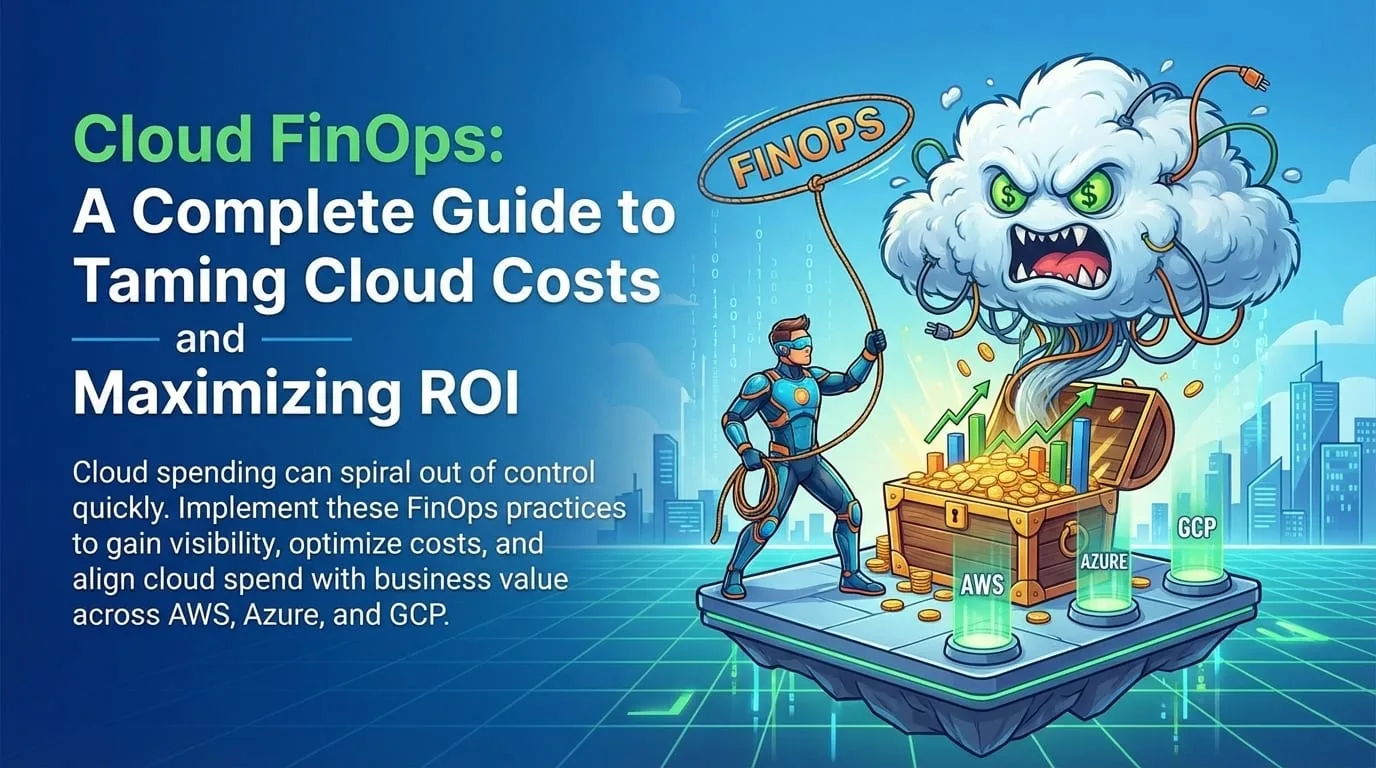
The promise of the cloud was "pay for what you use." The reality for many organizations is "pay for what you forgot to turn off." The average enterprise wastes 30-35% of their cloud spend on unused or underutilized resources.
FinOps-a portmanteau of "Finance" and "DevOps"-is the cultural practice of bringing financial accountability to the variable spend model of cloud. It's not just about cutting costs; it's about maximizing value per dollar spent.
The Cloud Cost Problem
Let's quantify the challenge:
| Statistic | Impact |
|---|---|
| 30-35% of cloud spend is wasted | Average enterprise loses $10M+ annually |
| 80% of cloud cost overruns are preventable | Process, not technology, is the problem |
| 94% of enterprises are multicloud | Complexity compounds the challenge |
| Cloud bills grow 20-30% YoY | Often faster than business growth |
Common causes of cloud waste:
Cloud Waste Categories

┌─────────────────────────────────────────────────────────────┐
│                                                              │
│   Idle Resources (35%)                                       │
│   ─────────────────────                                      │
│   • Dev environments running 24/7 (used 8 hours)            │
│   • Forgotten test instances                                 │
│   • Unused load balancers, IPs, storage                     │
│                                                              │
│   Over-Provisioned (30%)                                     │
│   ─────────────────────                                      │
│   • t3.2xlarge running at 5% CPU                            │
│   • 1TB storage allocated, 100GB used                       │
│   • "Just in case" capacity                                  │
│                                                              │
│   Lack of Commitments (20%)                                  │
│   ───────────────────────                                    │
│   • Paying on-demand for steady workloads                   │
│   • Missing Reserved Instances / Savings Plans              │
│                                                              │
│   Architecture Issues (15%)                                  │
│   ─────────────────────────                                  │
│   • Inefficient data transfer                               │
│   • Wrong service choices                                   │
│   • No caching layer                                        │
│                                                              │
└─────────────────────────────────────────────────────────────┘
The FinOps Framework
FinOps operates in three iterative phases:
The FinOps Lifecycle

        ┌───────────────────────────────────────────────┐
        │                                                │
        ▼                                                │
   ┌─────────┐                                          │
   │ INFORM  │  → Visibility, Allocation, Benchmarking  │
   └────┬────┘                                          │
        │                                                │
        ▼                                                │
   ┌──────────┐                                         │
   │ OPTIMIZE │  → Rightsizing, Pricing, Architecture   │
   └────┬─────┘                                         │
        │                                                │
        ▼                                                │
   ┌─────────┐                                          │
   │ OPERATE │  → Automation, Governance, Culture       │
   └────┬────┘                                          │
        │                                                │
        └────────────────────────────────────────────────┘
                         Continuous
Phase 1: Inform
You cannot optimize what you cannot see. This phase creates visibility into cloud spend.
1.1 Tagging Strategy
Every resource must have mandatory tags:
| Tag Key | Purpose | Example Values |
|---|---|---|
Owner | Who to contact | team-platform, john.doe@company.com |
CostCenter | Billing allocation | CC-1234, Engineering |
Environment | Lifecycle stage | prod, staging, dev, test |
Project | Business initiative | project-atlas, migration-2024 |
Application | Logical grouping | api-gateway, user-service |
Enforce tagging with policies:
# AWS SCP to require tags
resource "aws_organizations_policy" "require_tags" {
  name    = "RequireCostTags"
  content = jsonencode({
    Version = "2012-10-17"
    Statement = [
      {
        Sid       = "RequireTags"
        Effect    = "Deny"
        Action    = ["ec2:RunInstances", "rds:CreateDBInstance"]
        Resource  = "*"
        Condition = {
          "Null" = {
            "aws:RequestTag/Owner"      = "true"
            "aws:RequestTag/CostCenter" = "true"
            "aws:RequestTag/Environment" = "true"
          }
        }
      }
    ]
  })
}
1.2 Cost Allocation and Showback
Send monthly reports to teams showing exactly what they spent:
Monthly Cost Report: Platform Team

┌─────────────────────────────────────────────────────────────┐
│                    April 2024 Summary                        │
├─────────────────────────────────────────────────────────────┤
│                                                              │
│  Total Spend:        $47,234      ↑ 12% from March          │
│  Budget:             $45,000      Over by $2,234            │
│                                                              │
│  Breakdown by Service:                                       │
│  ├── EC2:            $18,500 (39%)  ████████████            │
│  ├── RDS:            $12,300 (26%)  ████████                │
│  ├── S3:             $6,200 (13%)   ████                    │
│  ├── Lambda:         $4,100 (9%)    ███                     │
│  ├── Data Transfer:  $3,800 (8%)    ██                      │
│  └── Other:          $2,334 (5%)    █                       │
│                                                              │
│  Top 5 Most Expensive Resources:                            │
│  1. prod-db-primary (RDS)      $4,200                       │
│  2. api-cluster (EKS)          $3,800                       │
│  3. analytics-emr              $2,900                       │
│  4. cache-cluster (ElastiCache) $2,100                      │
│  5. prod-web-asg               $1,900                       │
│                                                              │
│  ⚠️ Recommendations:                                         │
│  • 3 idle EC2 instances detected ($450/month)               │
│  • dev-db oversized (t3.xlarge → t3.medium saves $120/mo)  │
│  • Consider Reserved Instances for prod-db ($800/mo savings)│
│                                                              │
└─────────────────────────────────────────────────────────────┘
1.3 Benchmarking
Compare your efficiency against industry standards:
| Metric | Your Company | Industry Median | Elite |
|---|---|---|---|
| Cost per active user | $2.50 | $2.00 | $0.80 |
| Infrastructure cost % of revenue | 8% | 5% | 2% |
| Commitment coverage | 30% | 55% | 75% |
| Waste percentage | 32% | 25% | 10% |
Phase 2: Optimize
With visibility established, now we reduce costs strategically.
2.1 Rightsizing
Moving from over-provisioned to right-sized instances:
Rightsizing Analysis

Current: r5.4xlarge
─────────────────────
• 16 vCPUs, 128GB RAM
• Cost: $1,008/month
• Actual usage:
  - CPU: 12% average
  - Memory: 35% average

Recommendation: r5.xlarge
─────────────────────────
• 4 vCPUs, 32GB RAM
• Cost: $252/month
• Projected usage:
  - CPU: 48% average
  - Memory: 90% average

Savings: $756/month (75%)
AWS Compute Optimizer example:
# Get rightsizing recommendations
aws compute-optimizer get-ec2-instance-recommendations \
  --instance-arns arn:aws:ec2:us-east-1:123456789:instance/i-1234567890 \
  --output json

# Returns recommendations like:
{
  "instanceArn": "...",
  "currentInstanceType": "r5.4xlarge",
  "recommendedInstanceType": "r5.xlarge",
  "estimatedMonthlySavings": 756.00,
  "performanceRisk": "VeryLow"
}
2.2 Commitment-Based Discounts
| Commitment Type | Discount | Flexibility | Best For |
|---|---|---|---|
| Reserved Instances | 30-72% | Low (specific instance) | Databases, steady workloads |
| Savings Plans | 20-66% | Medium (any instance in family) | Compute workloads |
| Spot Instances | 60-90% | High (can be interrupted) | Batch, CI/CD, stateless |
Savings Plans coverage analysis:
Commitment Coverage Dashboard

┌─────────────────────────────────────────────────────────────┐
│                                                              │
│  Current Coverage: 45%    Target: 70%                        │
│  ████████████████████░░░░░░░░░░░░░░░░░░░░                    │
│                                                              │
│  Monthly On-Demand Spend:        $100,000                    │
│  Covered by Savings Plans:       $45,000                     │
│  Uncovered (optimization target): $55,000                    │
│                                                              │
│  Recommended Savings Plans:                                  │
│  ├── Compute SP (3yr, No Upfront): $30,000/month            │
│  │   Covers: EC2, Lambda, Fargate                           │
│  │   Savings: 35% = $10,500/month                           │
│  │                                                           │
│  └── EC2 Instance SP (1yr, Partial): $10,000/month          │
│      Covers: Specific EC2 families                          │
│      Savings: 45% = $4,500/month                            │
│                                                              │
│  Total Potential Annual Savings: $180,000                    │
│                                                              │
└─────────────────────────────────────────────────────────────┘
2.3 Spot Instances for Non-Critical Workloads
Use spare capacity for up to 90% savings:
# Kubernetes spot instance configuration
apiVersion: karpenter.sh/v1alpha5
kind: Provisioner
metadata:
  name: spot-provisioner
spec:
  requirements:
    - key: karpenter.sh/capacity-type
      operator: In
      values: ["spot"]
    - key: kubernetes.io/arch
      operator: In
      values: ["amd64"]
  limits:
    resources:
      cpu: 1000
  ttlSecondsAfterEmpty: 30

---
# Workloads suitable for spot:
# ✅ CI/CD pipelines
# ✅ Batch processing
# ✅ Development environments
# ✅ Stateless API workers
# ✅ Data processing (with checkpointing)

# NOT suitable for spot:
# ❌ Databases
# ❌ Stateful applications
# ❌ Long-running transactions
# ❌ Latency-sensitive services
2.4 Storage Optimization
| Optimization | Potential Savings | Implementation |
|---|---|---|
| S3 Intelligent Tiering | 40-70% | Automatic, minimal effort |
| EBS right-sizing | 30-50% | Analyze IOPS/throughput needs |
| Snapshot lifecycle | 20-40% | Delete old snapshots |
| Archive to Glacier | 80-90% | For compliance data |
| Compression | 30-50% | At application level |
2.5 Architecture Optimizations
Data Transfer Costs:
Before: Cross-AZ data transfer for every request
┌──────────┐     $0.01/GB      ┌──────────┐
│  App     │ ◄────────────────► │  Cache   │
│  (AZ-a)  │   100TB/month     │  (AZ-b)  │
└──────────┘   = $1,000/month   └──────────┘

After: Co-located resources
┌─────────────────────────────────────────┐
│  AZ-a                                    │
│  ┌──────────┐     $0/GB    ┌──────────┐ │
│  │  App     │ ◄───────────► │  Cache   │ │
│  └──────────┘              └──────────┘ │
└─────────────────────────────────────────┘
   Cost: $0/month    Savings: $1,000/month
Phase 3: Operate
Make cost optimization a continuous, automated practice.
3.1 Automated Cost Controls
# Lambda function to stop dev environments at 7 PM
import boto3
from datetime import datetime

def lambda_handler(event, context):
    ec2 = boto3.client('ec2')

    # Find dev instances that are running
    response = ec2.describe_instances(
        Filters=[
            {'Name': 'tag:Environment', 'Values': ['dev', 'test']},
            {'Name': 'instance-state-name', 'Values': ['running']}
        ]
    )

    instance_ids = []
    for reservation in response['Reservations']:
        for instance in reservation['Instances']:
            instance_ids.append(instance['InstanceId'])

    if instance_ids:
        ec2.stop_instances(InstanceIds=instance_ids)
        print(f"Stopped {len(instance_ids)} dev instances")

    return {
        'stopped_instances': len(instance_ids),
        'timestamp': datetime.now().isoformat()
    }
3.2 Budget Alerts and Anomaly Detection
# Terraform: AWS Budget with alerts
resource "aws_budgets_budget" "monthly" {
  name              = "monthly-budget"
  budget_type       = "COST"
  limit_amount      = "50000"
  limit_unit        = "USD"
  time_unit         = "MONTHLY"

  notification {
    comparison_operator        = "GREATER_THAN"
    threshold                  = 80
    threshold_type            = "PERCENTAGE"
    notification_type         = "ACTUAL"
    subscriber_email_addresses = ["finops@company.com"]
  }

  notification {
    comparison_operator        = "GREATER_THAN"
    threshold                  = 100
    threshold_type            = "PERCENTAGE"
    notification_type         = "FORECASTED"
    subscriber_email_addresses = ["finance@company.com", "cto@company.com"]
  }
}

resource "aws_ce_anomaly_monitor" "cost_anomaly" {
  name              = "cost-anomaly-monitor"
  monitor_type      = "DIMENSIONAL"
  monitor_dimension = "SERVICE"
}

resource "aws_ce_anomaly_subscription" "alert" {
  name      = "cost-anomaly-alert"
  threshold = 100  # Alert when anomaly exceeds $100

  monitor_arn_list = [aws_ce_anomaly_monitor.cost_anomaly.arn]

  subscriber {
    type    = "EMAIL"
    address = "finops@company.com"
  }
}
3.3 Unit Economics as KPIs
Instead of "Total Spend," track cost efficiency:
| KPI | Formula | Target |
|---|---|---|
| Cost per Transaction | Total Spend / Transactions | ↓ over time |
| Cost per Active User | Total Spend / MAU | ↓ over time |
| Cost per $1 Revenue | Cloud Spend / Revenue | < 5% |
| Efficiency Score | (Baseline Cost / Actual Cost) × 100 | > 100% |
Unit Economics Dashboard

┌─────────────────────────────────────────────────────────────┐
│                                                              │
│  Cost per 1,000 Transactions                                 │
│  ──────────────────────────                                  │
│                                                              │
│  $3.50 │                                                     │
│  $3.00 │ ■                                                   │
│  $2.50 │ ■  ■                                                │
│  $2.00 │ ■  ■  ■  ■                                          │
│  $1.50 │ ■  ■  ■  ■  ■  ■                                    │
│  $1.00 │ ■  ■  ■  ■  ■  ■  ■  ■  ← Target                   │
│        └──────────────────────────                           │
│          Q1 Q2 Q3 Q4 Q1 Q2 Q3 Q4                            │
│             2023       2024                                  │
│                                                              │
│  Trend: ↓ 52% improvement year-over-year                    │
│                                                              │
└─────────────────────────────────────────────────────────────┘
FinOps Team Structure
RACI Matrix
| Activity | Engineering | Finance | FinOps | Leadership |
|---|---|---|---|---|
| Tagging compliance | A | C | R | I |
| Rightsizing decisions | A | I | R | I |
| Budget setting | C | A | R | A |
| Anomaly investigation | A | I | R | I |
| Commitment purchases | C | A | R | A |
| Architecture reviews | A | I | C | I |
R = Responsible, A = Accountable, C = Consulted, I = Informed
FinOps Maturity Model
| Level | Characteristics | Actions |
|---|---|---|
| Crawl | Basic visibility, reactive | Implement tagging, create dashboards |
| Walk | Proactive optimization, some automation | Rightsizing, Savings Plans, team showback |
| Run | Continuous optimization, culture embedded | Unit economics, automated governance, FinOps as competitive advantage |
Quick Wins Checklist
Start with these high-impact, low-effort optimizations:
Immediate (This Week)
- Delete unattached EBS volumes
- Remove unused Elastic IPs
- Terminate stopped instances running > 7 days
- Delete old snapshots (> 90 days)
- Review and delete unused load balancers
Short-Term (This Month)
- Implement tagging policy
- Enable S3 Intelligent Tiering
- Set up budget alerts
- Schedule dev environment shutdowns
- Rightsize top 10 most expensive instances
Medium-Term (This Quarter)
- Analyze Savings Plans coverage
- Implement spot instances for batch workloads
- Create showback reports for teams
- Establish FinOps governance committee
Key Takeaways
- Visibility first: You can't optimize what you can't see-implement tagging and showback
- Engineers are buyers: Empower developers with cost data for better decisions
- Unit economics matter: Track cost per transaction, not just total spend
- Automate governance: Use policies and automation, not manual reviews
- Commitments for stability: Use Reserved Instances and Savings Plans for steady workloads
- Spot for flexibility: Leverage spot instances for up to 90% savings on interruptible work
- Continuous improvement: FinOps is a practice, not a project
Struggling with cloud costs or building a FinOps practice? Contact EGI Consulting for a cloud cost assessment and optimization roadmap tailored to your AWS, Azure, or GCP environment.
Keep reading
All articles
Scalable Cloud Architecture for High-Growth Startups: A Complete Guide to Building for Scale
Green Software Engineering: Building Sustainable, Carbon-Efficient Systems
Kubernetes at Scale: Production Lessons for Running K8s in the Real World
Get new articles by email.
One or two a month. No marketing, no forwarding your address. Unsubscribe anytime.