React Server Components in Next.js: A Complete Guide to the New Paradigm for Frontend Performance
React Server Components (RSC) are transforming web development. Learn how to leverage server-side rendering to reduce bundle sizes, improve Core Web Vitals, and build faster applications.

For the last decade, the trend in web development has been "thick clients." We sent massive JavaScript bundles to the browser, fetched JSON APIs, and rendered everything on the user's device. The result? Bloated bundle sizes, slow initial loads, and frustrated users on slower devices.
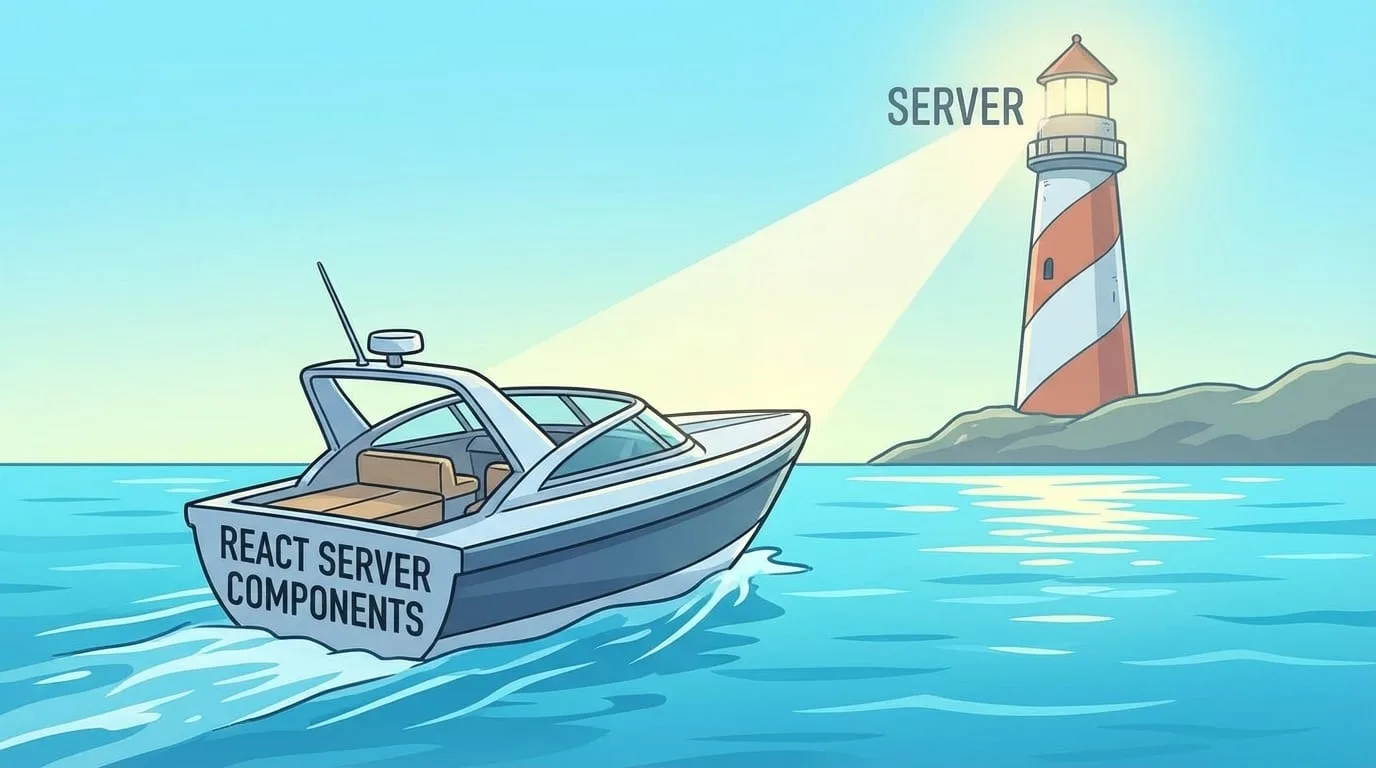
Next.js App Router and React Server Components (RSC) swing the pendulum back-but with a modern twist. This isn't a return to the days of PHP rendering; it's a hybrid model that gives you the best of both worlds.
Understanding the Problem RSC Solves
Before diving into Server Components, let's understand the problem with the traditional client-side approach:
| Issue | Traditional SPA Impact | Business Impact |
|---|---|---|
| Large Bundle Sizes | 500KB+ JavaScript downloads | Slow initial load, high bounce rates |
| Hydration Cost | Browser parses and executes all JS | Poor interaction times (INP) |
| Waterfall Fetching | Component renders → fetches → re-renders | Cumulative Layout Shift (CLS) |
| Redundant Code | UI libraries sent to client | Wasted bandwidth |
| Exposed Logic | Business logic visible in browser | Security concerns |
What are Server Components?
In a standard React application (Client Side Rendering), the browser downloads the JS code for a component, executes it, fetches data, and then renders.
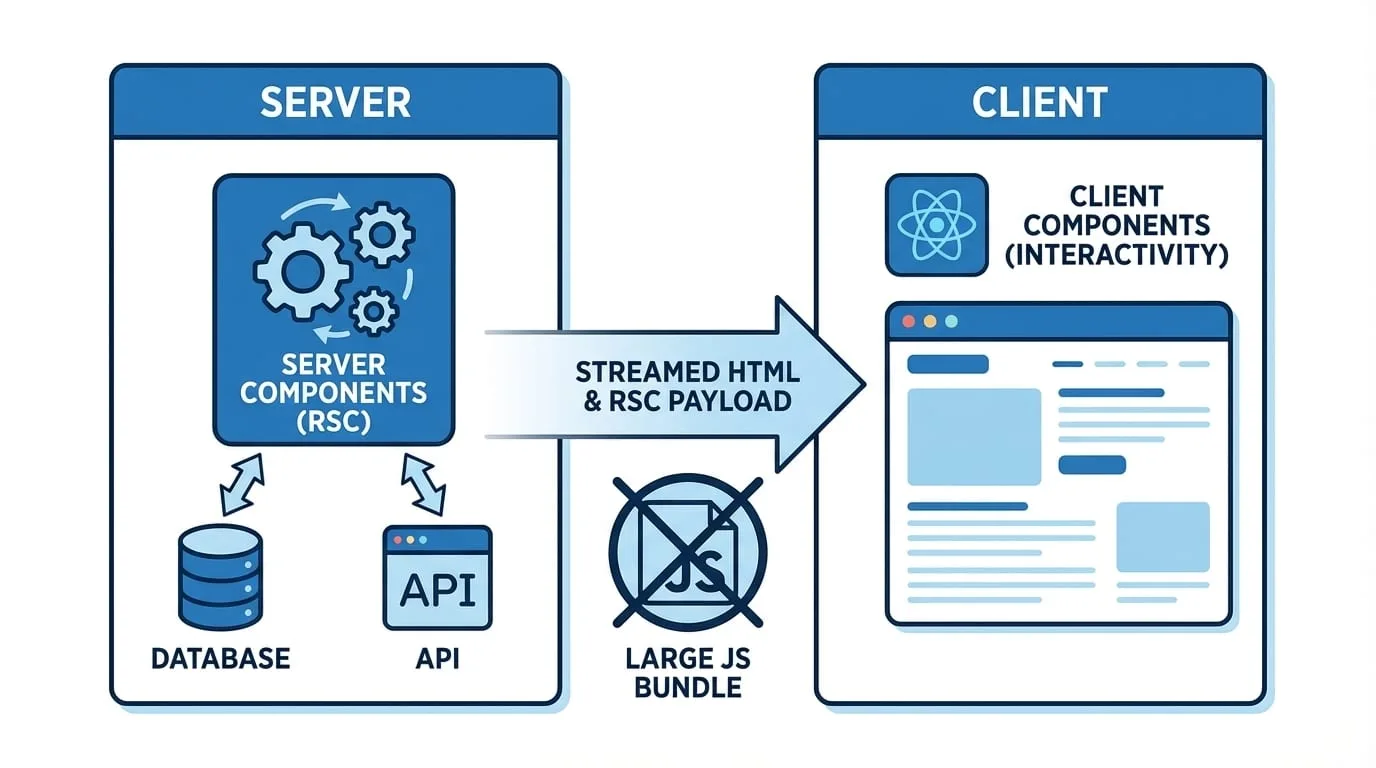
With Server Components, the component renders on the server. The server sends the finished HTML (or a special serialized format called RSC payload) to the client.
Key Difference: Server Components never hydrate. Their code (and the libraries they import) is never sent to the browser.
Traditional Client-Side Rendering:

Browser                           Server
  │                                  │
  │──────── Request Page ──────────►│
  │◄─────── HTML Shell ─────────────│
  │                                  │
  │──────── Request JS Bundle ─────►│
  │◄─────── 500KB JavaScript ───────│
  │                                  │
  │ [Parse & Execute JavaScript]     │
  │                                  │
  │──────── Fetch API Data ────────►│
  │◄─────── JSON Response ──────────│
  │                                  │
  │ [Render UI with Data]            │
  └──────────────────────────────────┘

React Server Components:

Browser                           Server
  │                                  │
  │──────── Request Page ──────────►│
  │                                  │ [Render Components]
  │                                  │ [Fetch Data Directly]
  │                                  │ [Generate HTML + RSC Payload]
  │◄─────── Complete HTML + Data ───│
  │                                  │
  │ [Hydrate only Client Components] │
  │                                  │
  └──────────────────────────────────┘
The Benefits of Server Components
1. Zero-Bundle-Size Dependencies
Imagine you need a heavy library like date-fns, marked, or highlight.js to
format some content.
Client Component approach:
// ❌ This sends date-fns (79KB) to the browser
"use client";
import { format } from "date-fns";

export function DateDisplay({ date }: { date: Date }) {
  return <span>{format(date, "MMMM do, yyyy")}</span>;
}
Server Component approach:
// ✅ date-fns runs on server, 0KB sent to browser
import { format } from "date-fns";

export function DateDisplay({ date }: { date: Date }) {
  return <span>{format(date, "MMMM do, yyyy")}</span>;
}
Real-world impact:
| Library | Size (minified) | With RSC |
|---|---|---|
| date-fns | 79KB | 0KB |
| marked (Markdown) | 32KB | 0KB |
| highlight.js | 45KB | 0KB |
| lodash | 72KB | 0KB |
| Prism.js | 22KB | 0KB |
A blog with syntax highlighting and Markdown rendering could save 150KB+ of client-side JavaScript.
2. Direct Backend Access
Server Components run on the server. You can connect directly to your database, file system, or internal services without an API layer in between.
// This is valid in a Server Component!
import { db } from "@/lib/database";

async function UserList() {
  // Direct database query - no API needed
  const users = await db.query(`
    SELECT id, name, email, created_at
    FROM users
    WHERE active = true
    ORDER BY created_at DESC
    LIMIT 10
  `);

  return (
    <ul className="space-y-4">
      {users.map((user) => (
        <li key={user.id} className="rounded-lg bg-white p-4 shadow">
          <h3 className="font-semibold">{user.name}</h3>
          <p className="text-gray-600">{user.email}</p>
        </li>
      ))}
    </ul>
  );
}
Benefits of direct data access:
- No API route boilerplate
- No fetch/state management code
- No loading states for initial data
- Type safety end-to-end
- Better security (credentials never leave server)
3. Improved Core Web Vitals
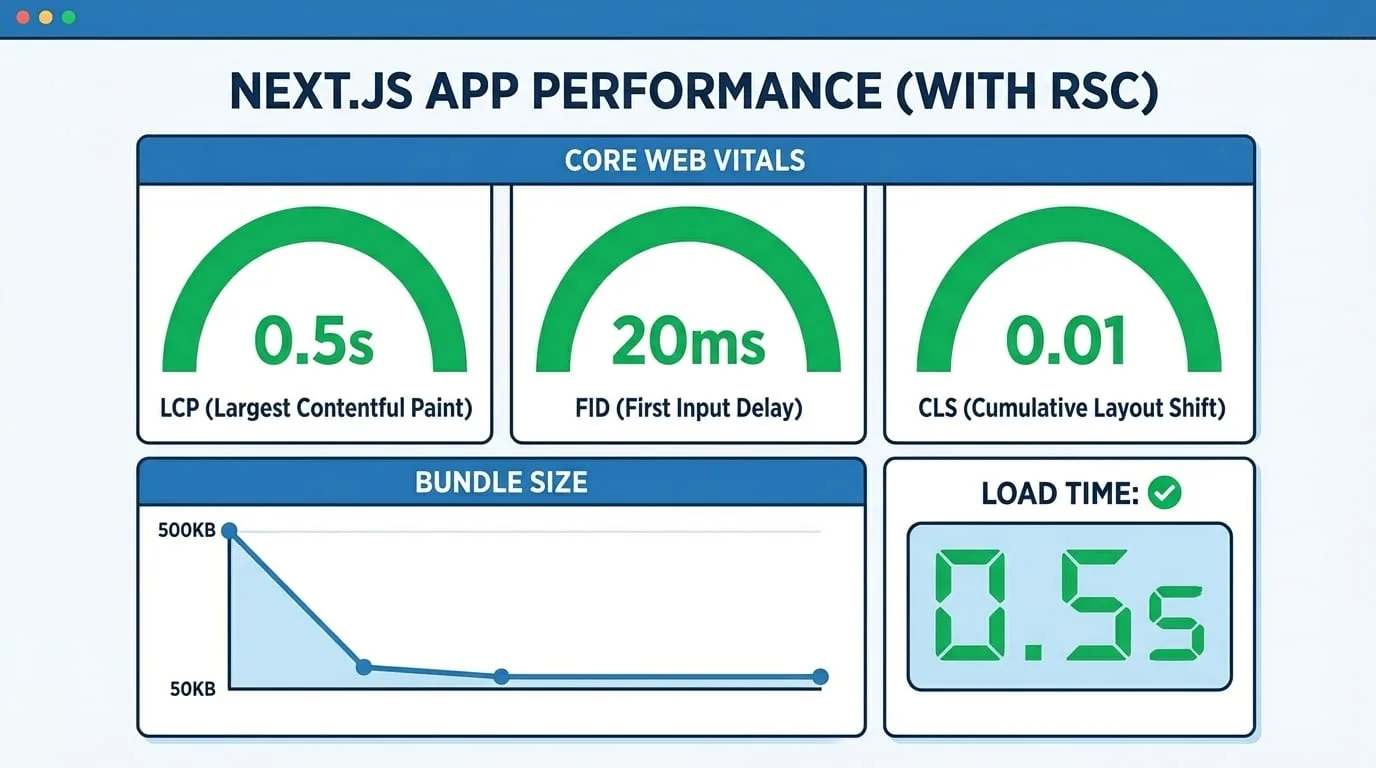
By reducing the amount of JavaScript the browser needs to parse and execute, Server Components significantly improve key performance metrics:
| Metric | What It Measures | RSC Impact |
|---|---|---|
| FCP (First Contentful Paint) | Time to first content | Faster HTML delivery |
| LCP (Largest Contentful Paint) | Time to main content | Pre-rendered content |
| INP (Interaction to Next Paint) | Responsiveness | Less JS to parse |
| TBT (Total Blocking Time) | Main thread blocking | Reduced hydration |
| CLS (Cumulative Layout Shift) | Visual stability | Data included in HTML |
4. Streaming and Suspense
Server Components work seamlessly with React Suspense to stream content progressively:
import { Suspense } from "react";

export default function DashboardPage() {
  return (
    <div className="grid grid-cols-2 gap-6">
      {/* Instant - lightweight component */}
      <Header />

      {/* Streams in when ready */}
      <Suspense fallback={<MetricsSkeleton />}>
        <Metrics />
      </Suspense>

      {/* Streams independently */}
      <Suspense fallback={<ChartSkeleton />}>
        <AnalyticsChart />
      </Suspense>

      {/* Streams independently */}
      <Suspense fallback={<TableSkeleton />}>
        <RecentOrders />
      </Suspense>
    </div>
  );
}
The page shell renders immediately, and each data-heavy section streams in as it becomes ready-no waterfall fetching.
When to Use Client Components
You still need Client Components ("use client") for interactivity. Use them
for:
| Scenario | Why Client Component? |
|---|---|
| State management | useState, useReducer |
| Effects | useEffect, useLayoutEffect |
| Event handlers | onClick, onChange, onSubmit |
| Browser APIs | localStorage, window, navigator |
| Third-party UI libraries | Many require client-side hooks |
| Real-time updates | WebSocket connections, polling |
Client Component Example
"use client";

import { useState } from "react";
import { useDebounce } from "@/hooks/useDebounce";

export function SearchInput({
  onSearch,
}: {
  onSearch: (query: string) => void;
}) {
  const [query, setQuery] = useState("");
  const debouncedQuery = useDebounce(query, 300);

  useEffect(() => {
    if (debouncedQuery) {
      onSearch(debouncedQuery);
    }
  }, [debouncedQuery, onSearch]);

  return (
    <input
      type="text"
      value={query}
      onChange={(e) => setQuery(e.target.value)}
      placeholder="Search..."
      className="w-full rounded-lg border px-4 py-2"
    />
  );
}
Component Composition Patterns
The power of RSC comes from composing Server and Client Components effectively:
Pattern 1: Server Parent, Client Children
// Server Component (default)
async function ProductPage({ id }: { id: string }) {
  // Fetch on server
  const product = await getProduct(id);

  return (
    <div>
      <h1>{product.name}</h1>
      <p>{product.description}</p>

      {/* Client Component for interactivity */}
      <AddToCartButton productId={product.id} price={product.price} />
    </div>
  );
}
Pattern 2: Passing Server Data to Client Components
// Server Component
async function CommentSection({ postId }: { postId: string }) {
  const comments = await getComments(postId);

  return (
    <div>
      {/* Server-rendered list */}
      {comments.map((comment) => (
        <Comment key={comment.id} {...comment} />
      ))}

      {/* Client Component with server-fetched user */}
      <CommentForm postId={postId} />
    </div>
  );
}
Pattern 3: Slots for Flexibility
// Client Component that accepts Server Components as children
"use client";

export function Modal({
  children,
  trigger,
}: {
  children: React.ReactNode;
  trigger: React.ReactNode;
}) {
  const [isOpen, setIsOpen] = useState(false);

  return (
    <>
      <button onClick={() => setIsOpen(true)}>{trigger}</button>
      {isOpen && (
        <div className="modal">
          {children} {/* Can be a Server Component! */}
        </div>
      )}
    </>
  );
}

// Usage - Server Component content in Client Component wrapper
<Modal trigger="View Details">
  <ProductDetails productId={id} /> {/* Server Component */}
</Modal>;
Data Fetching Best Practices
Colocate Data Fetching
Fetch data where you need it, not at the top of the tree:
// ✅ Good: Each component fetches its own data
async function Dashboard() {
  return (
    <div className="grid grid-cols-3 gap-6">
      <UserStats /> {/* Fetches user data */}
      <RevenueChart /> {/* Fetches revenue data */}
      <RecentOrders /> {/* Fetches order data */}
    </div>
  );
}

// Components fetch in parallel automatically!
async function UserStats() {
  const stats = await getUserStats();
  return <Card>{/* ... */}</Card>;
}

async function RevenueChart() {
  const revenue = await getRevenueData();
  return <Chart data={revenue} />;
}
Request Deduplication
Next.js automatically deduplicates identical requests:
// Both components can call this - only one request is made
async function getUser(id: string) {
  const res = await fetch(`https://api.example.com/users/${id}`);
  return res.json();
}

// ComponentA.tsx
async function ComponentA({ userId }: { userId: string }) {
  const user = await getUser(userId); // Request #1
  return <div>{user.name}</div>;
}

// ComponentB.tsx
async function ComponentB({ userId }: { userId: string }) {
  const user = await getUser(userId); // Deduped - uses #1's result
  return <div>{user.email}</div>;
}
Caching Strategies
Control caching behavior with Next.js cache options:
// Dynamic data - refetch every request
async function LivePrice({ symbol }: { symbol: string }) {
  const data = await fetch(`/api/stocks/${symbol}`, {
    cache: "no-store",
  });
  return <span>{data.price}</span>;
}

// Static data - cache indefinitely
async function ProductInfo({ id }: { id: string }) {
  const product = await fetch(`/api/products/${id}`, {
    cache: "force-cache",
  });
  return <div>{product.name}</div>;
}

// Revalidate periodically
async function WeatherWidget({ city }: { city: string }) {
  const weather = await fetch(`/api/weather/${city}`, {
    next: { revalidate: 3600 }, // Revalidate every hour
  });
  return <div>{weather.temp}°</div>;
}
Migration Strategy
Moving to Server Components doesn't require a full rewrite. Migrate incrementally:
Phase 1: Identify Candidates
Look for components that:
- Only display data (no interactivity)
- Import heavy libraries
- Fetch data on mount
- Don't use hooks or browser APIs
Phase 2: Convert Leaf Components First
Start with the simplest components at the bottom of the tree:
// Before (Client Component)
"use client";
import { format } from "date-fns";

export function PostDate({ date }: { date: string }) {
  return <time>{format(new Date(date), "MMMM d, yyyy")}</time>;
}

// After (Server Component - just remove "use client")
import { format } from "date-fns";

export function PostDate({ date }: { date: string }) {
  return <time>{format(new Date(date), "MMMM d, yyyy")}</time>;
}
Phase 3: Move Data Fetching Server-Side
Replace useEffect + fetch with direct async fetching:
// Before
"use client";
import { useState, useEffect } from "react";

export function UserProfile({ userId }: { userId: string }) {
  const [user, setUser] = useState(null);
  const [loading, setLoading] = useState(true);

  useEffect(() => {
    fetch(`/api/users/${userId}`)
      .then((res) => res.json())
      .then((data) => {
        setUser(data);
        setLoading(false);
      });
  }, [userId]);

  if (loading) return <Skeleton />;
  return <div>{user.name}</div>;
}

// After
async function UserProfile({ userId }: { userId: string }) {
  const user = await getUser(userId);
  return <div>{user.name}</div>;
}
Common Pitfalls and Solutions
Pitfall 1: Importing Client-Only Code in Server Components
// ❌ Error: localStorage is not defined
export function Theme() {
  const theme = localStorage.getItem("theme");
  return <div className={theme}>{/* ... */}</div>;
}

// ✅ Solution: Move to Client Component or use cookies
import { cookies } from "next/headers";

export function Theme() {
  const cookieStore = cookies();
  const theme = cookieStore.get("theme")?.value ?? "light";
  return <div className={theme}>{/* ... */}</div>;
}
Pitfall 2: Passing Functions as Props
// ❌ Error: Functions cannot be passed to Client Components
async function Parent() {
  const handleClick = () => console.log("clicked");
  return <ClientButton onClick={handleClick} />;
}

// ✅ Solution: Define handlers in Client Components
// or use Server Actions
async function Parent() {
  return <ClientButton productId={123} />;
}

// ClientButton.tsx
("use client");
export function ClientButton({ productId }: { productId: number }) {
  const handleClick = () => {
    // Handle click here
  };
  return <button onClick={handleClick}>Add to Cart</button>;
}
Pitfall 3: Over-Using Client Components
// ❌ Making entire page a Client Component
"use client";
export default function ProductPage({ id }) {
  // Everything is now client-side!
}

// ✅ Keep page as Server Component, use Client Components surgically
export default async function ProductPage({ params }) {
  const product = await getProduct(params.id);

  return (
    <div>
      <ProductInfo product={product} /> {/* Server */}
      <ProductGallery images={product.images} /> {/* Server */}
      <AddToCartButton productId={product.id} /> {/* Client */}
      <Reviews productId={product.id} /> {/* Server */}
    </div>
  );
}
Performance Comparison
Real-world metrics from migrating a typical e-commerce page:
| Metric | Before (SPA) | After (RSC) | Improvement |
|---|---|---|---|
| Bundle Size | 487KB | 123KB | -75% |
| FCP | 2.4s | 0.8s | -67% |
| LCP | 3.8s | 1.2s | -68% |
| TBT | 890ms | 120ms | -87% |
| Lighthouse Score | 62 | 94 | +52% |
Key Takeaways
- Server Components are the default in Next.js App Router-embrace them
- Use Client Components sparingly for interactivity and browser APIs
- Zero-bundle dependencies make heavy libraries free for users
- Direct data access eliminates API boilerplate
- Streaming with Suspense provides progressive loading
- Migrate incrementally starting with leaf components
- Composition patterns let you mix Server and Client Components effectively
RSC is not about replacing Client Components; it's about separation of concerns. Use Server Components for data fetching and static rendering. Use Client Components for user interaction. This hybrid model offers the best of both worlds: the performance of static HTML with the interactivity of a Single Page App.
Building a Next.js application or considering a migration to the App Router? Contact EGI Consulting for expert guidance on React Server Components, performance optimization, and modern frontend architecture.
Keep reading
All articles

Get new articles by email.
One or two a month. No marketing, no forwarding your address. Unsubscribe anytime.